IDs when you need them
Produce a fresh UUID or ULID in a click for a test fixture, a database row, or a quick script.
UUID and ULID spins up the identifiers you need on demand - classic UUIDs or sortable ULIDs - and can decode the version or embedded timestamp back out, so generating and inspecting IDs stops meaning a trip to a sketchy website.
Start the 14-day trial in the app. No payment method is required to try Foldout.
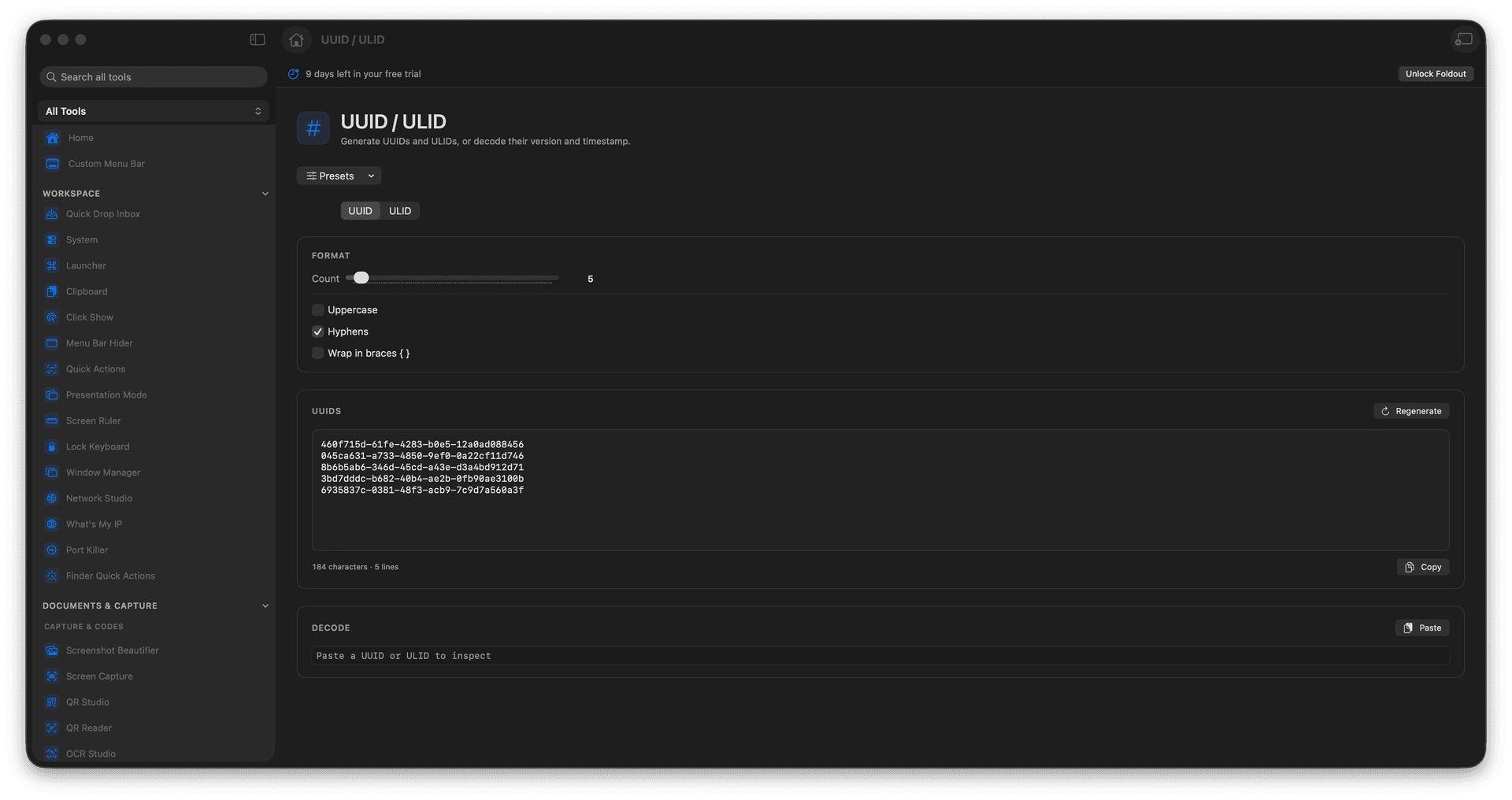
Generate UUID values on demand.
Generate sortable ULID values.
Decode version or timestamp details.
Keep ID work off random websites.
Concrete features, inputs, and workflow details for this tool.
Produce a fresh UUID or ULID in a click for a test fixture, a database row, or a quick script.
ULIDs carry a timestamp and sort naturally, handy when you want IDs that order themselves.
Decode the version or embedded time from an identifier, so a mysterious ID gives up its details.
Open UUID / ULID.
Choose the identifier type and count.
Create values.
Copy the results.
Yes. ULIDs include timestamp information that the tool can decode.