Smaller files, same picture
Compress JPEG, PNG, HEIC, TIFF, and WebP images so a heavy photo folder turns into lean, fast-loading assets ready for the web or email.
Optimize Images squeezes the wasted weight out of your pictures and can quietly strip the hidden metadata - camera model, location, timestamps - before anything leaves your Mac. Lighter pages, smaller attachments, cleaner shares, all in one batch.
Start the 14-day trial in the app. No payment method is required to try Foldout.
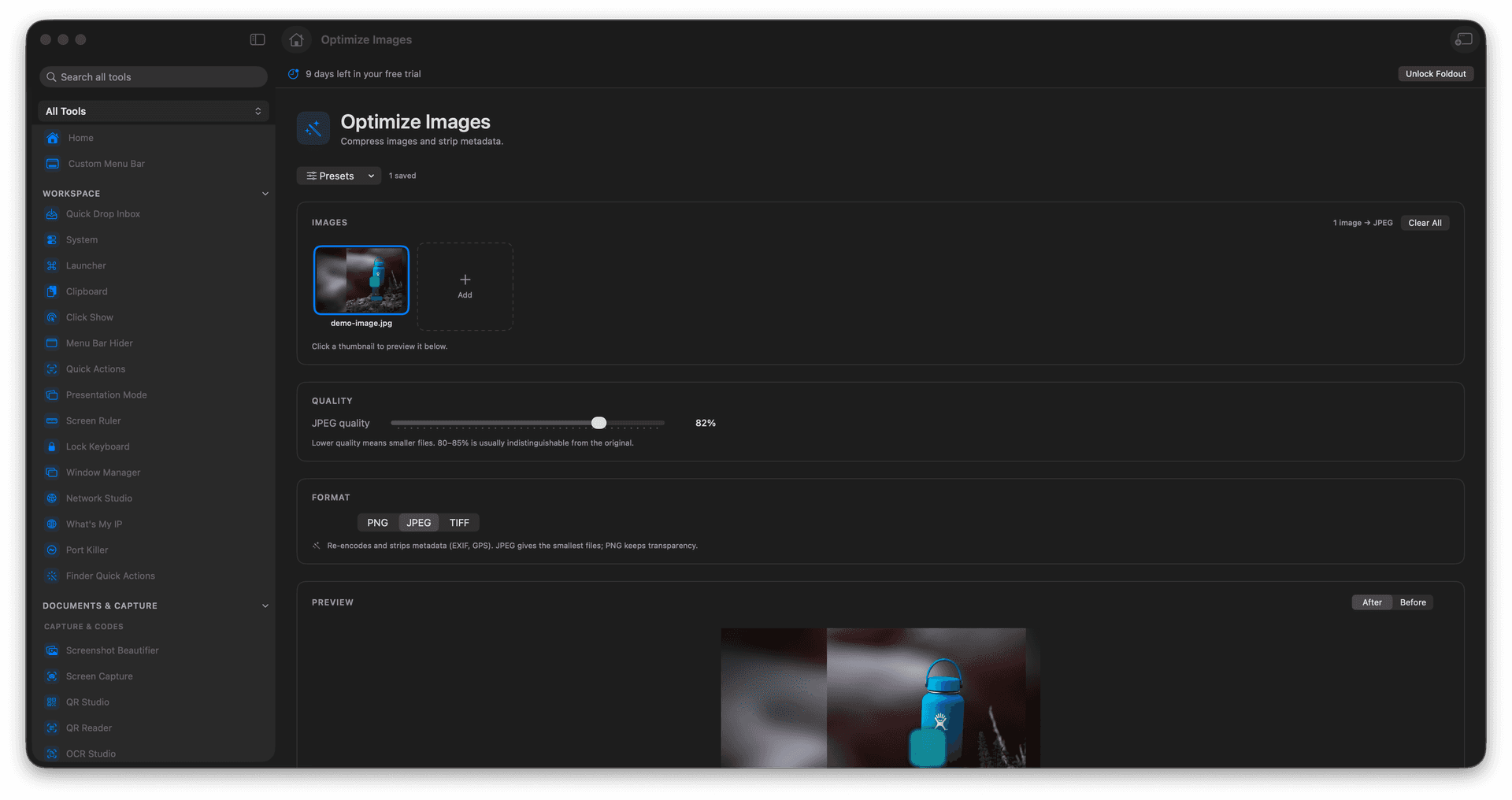
Shrink file sizes so pages load faster and attachments fit.
Optionally strip embedded metadata like camera, location, and timestamps.
Process a whole batch at once with one set of options.
Optimized copies are saved separately - originals stay full quality.
Concrete features, inputs, and workflow details for this tool.
Compress JPEG, PNG, HEIC, TIFF, and WebP images so a heavy photo folder turns into lean, fast-loading assets ready for the web or email.
Turn on metadata stripping to drop details such as camera model, GPS location, and capture time before you post or send an image.
Apply your compression and metadata choices across the whole selection in a single run, with every optimized file written alongside the untouched source.
Add images.
Choose compression and metadata options.
Run optimization.
Review the saved outputs.
Image metadata stripping can remove embedded metadata from supported image formats.