Mark what must go
Draw over names, figures, or whole paragraphs across any pages, marking exactly what should never leave the building.
Redact PDF lets you black out the parts of a document that cannot be shared and exports a flattened file where the hidden content is truly gone - not just covered with a box that can be dragged away later.
Start the 14-day trial in the app. No payment method is required to try Foldout.
Use Foldout only with files and content you own or have permission to process.
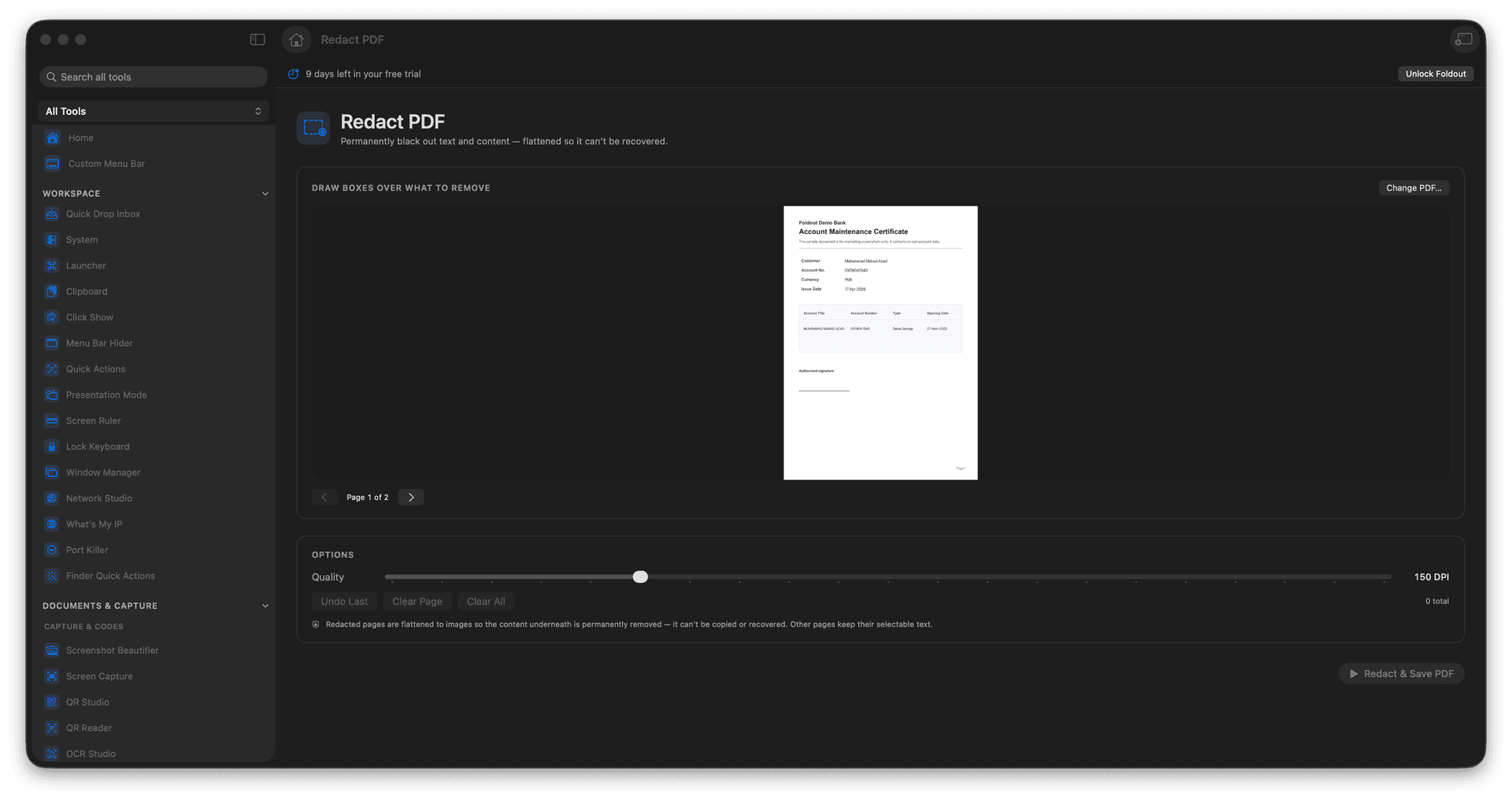
Mark any region of any page to redact.
Export a flattened PDF with the content removed.
Hidden text cannot be recovered from the output.
Share sensitive documents with confidence.
Concrete features, inputs, and workflow details for this tool.
Draw over names, figures, or whole paragraphs across any pages, marking exactly what should never leave the building.
The export is flattened so the redacted content is removed from the file - unlike a black box pasted on top, there is nothing underneath to recover.
Hand over discovery, records requests, or contracts knowing the protected parts are permanently out of the output.
Add a PDF.
Draw redaction areas.
Review the marked regions.
Export the redacted PDF.
No. The exported redacted PDF is flattened so the covered content is not recoverable.