Fill it like paper, on screen
Click anywhere on the form to add text, dates, and checkmarks, so you complete it directly instead of printing, writing, and scanning back.
PDF Fill and Sign turns a flat form into something you can actually complete on your Mac - drop in text, dates, checkmarks, and X marks, place your saved signature, and flatten it into a finished PDF, no printer or scanner in sight.
Start the 14-day trial in the app. No payment method is required to try Foldout.
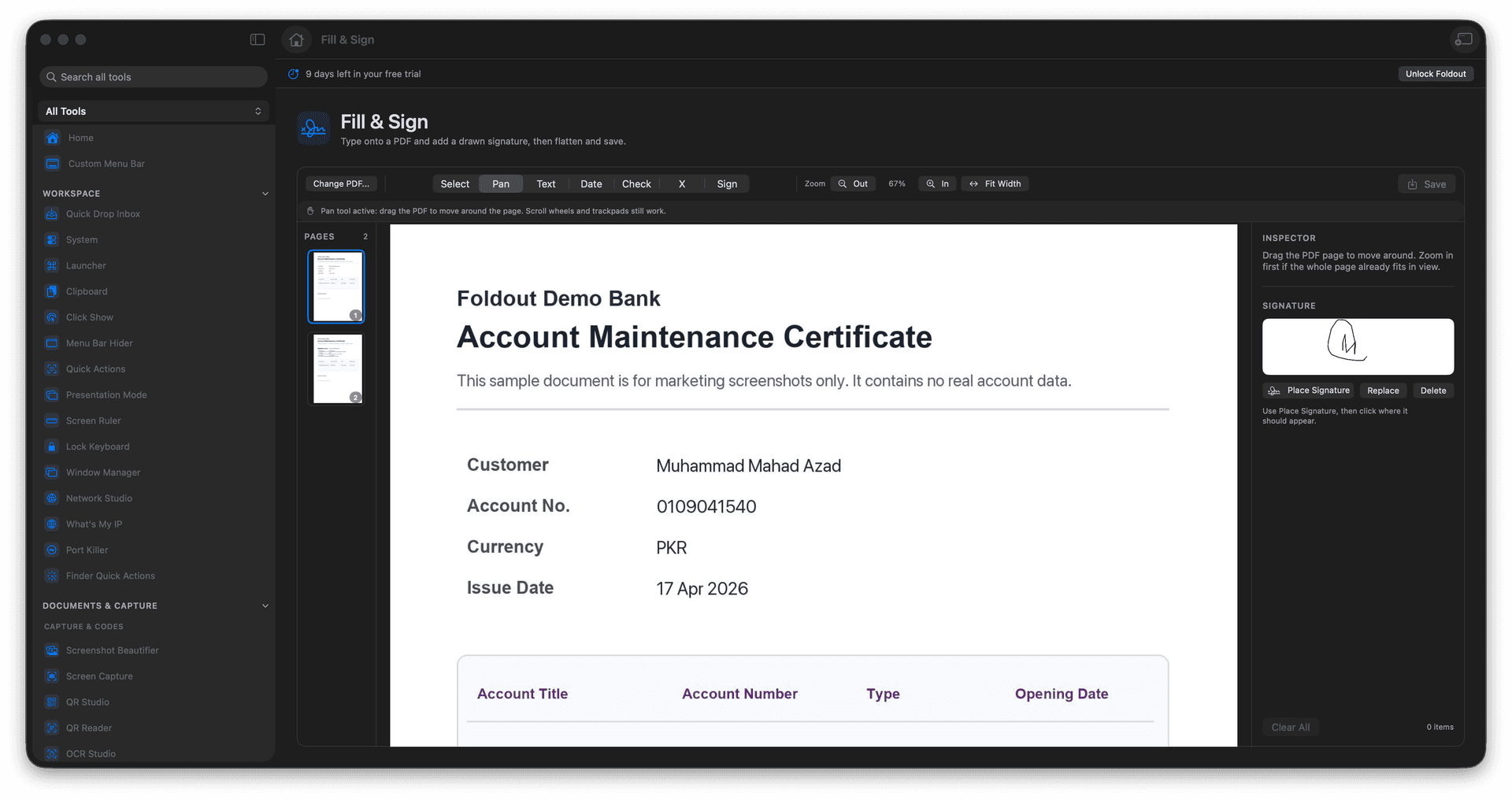
Place text, dates, checkmarks, and X marks anywhere.
Drop in a saved, hand-drawn signature.
Work comfortably across every page of a long form.
Flatten to a finished, send-ready PDF.
Concrete features, inputs, and workflow details for this tool.
Click anywhere on the form to add text, dates, and checkmarks, so you complete it directly instead of printing, writing, and scanning back.
Save a drawn signature and place it on any document, so signing a form takes a second, not a trip to the printer.
The completed form is flattened into a new PDF, so your entries and signature are locked into the page and ready to send.
Open a PDF.
Choose Text, Date, Check, X, or Signature.
Click where the item should appear and adjust it.
Save the filled PDF.
No. It stamps visual text and signature overlays into the PDF.