Cover exactly what matters
Drag boxes over faces, names, tokens, or account numbers - as many regions as you need - and leave the rest of the screenshot perfectly readable.
Image Redactor lets you draw straight over the parts of a screenshot you cannot share - names, faces, keys, account numbers - and bake them out with a pixelate, blur, or solid block before the image ever leaves your Mac.
Start the 14-day trial in the app. No payment method is required to try Foldout.
Foldout transforms user-supplied image files locally. It does not generate synthetic people, voices, likenesses, or media from prompts. Use Foldout only with files and content you own or have permission to process.
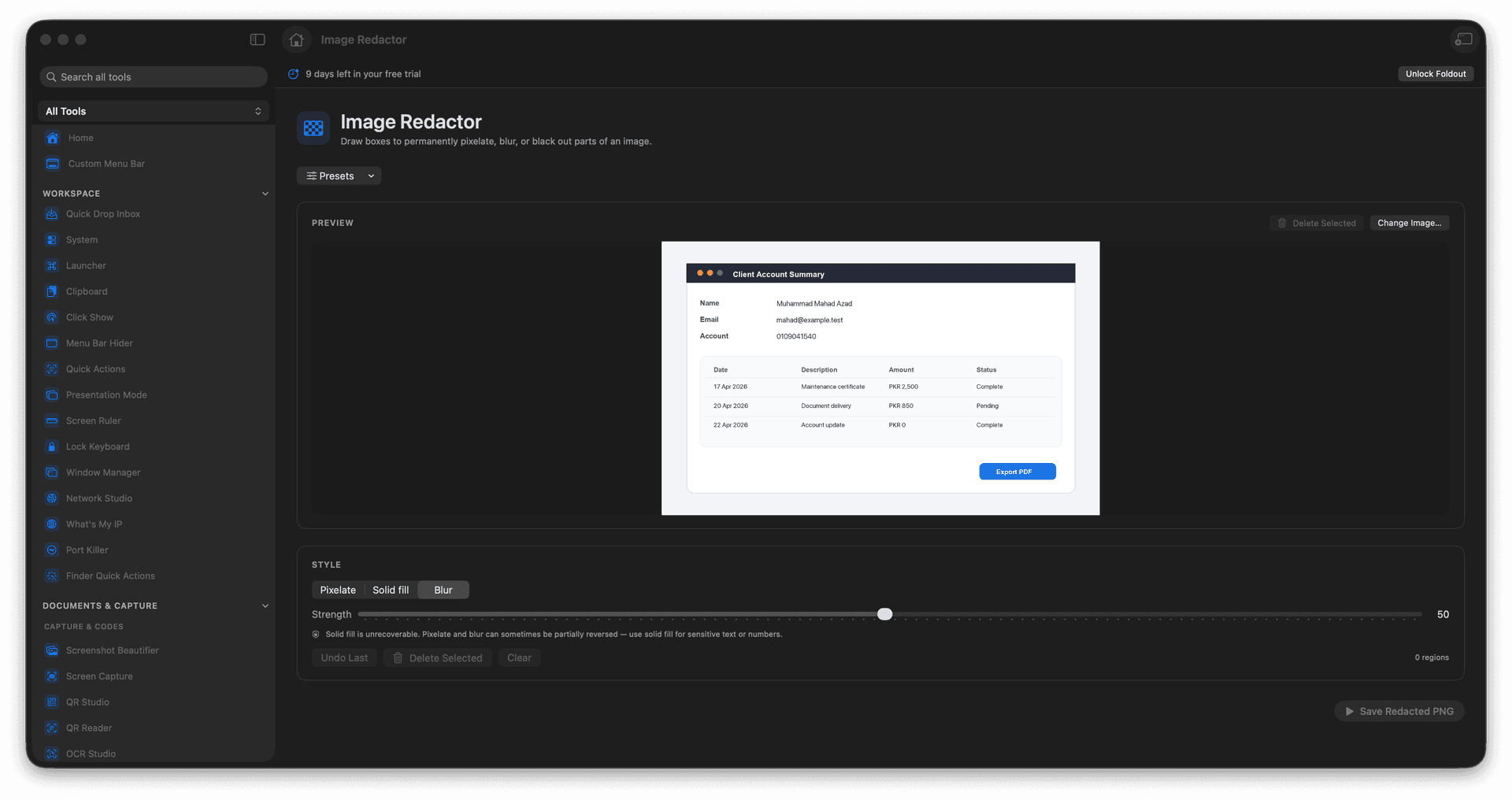
Draw boxes over anything sensitive in an image.
Choose pixelate, blur, or a solid fill for each region.
Bake the redaction permanently into a flattened export.
Clean up screenshots before posting or filing them.
Concrete features, inputs, and workflow details for this tool.
Drag boxes over faces, names, tokens, or account numbers - as many regions as you need - and leave the rest of the screenshot perfectly readable.
Pixelate for a classic redaction look, blur for a softer touch, or drop a solid block when the area must be completely gone.
The export is a flattened image with the covered regions permanently removed from the pixels, so nothing can be peeled back later.
Add an image.
Draw boxes over sensitive regions.
Choose the redaction style.
Export the redacted image.
Solid fill is the safest choice for sensitive content; blur and pixelate may still reveal context.