Instant product-shot polish
Wrap a raw capture in a backdrop, padding, corners, and a shadow, so a flat screenshot suddenly looks like it belongs on a marketing page.
Screenshot Beautifier takes a plain, lonely screenshot and frames it like a product shot - a gradient backdrop, breathing-room padding, soft rounded corners, a real shadow, even Mac window chrome - so it looks intentional in a deck, a post, or a landing page.
Start the 14-day trial in the app. No payment method is required to try Foldout.
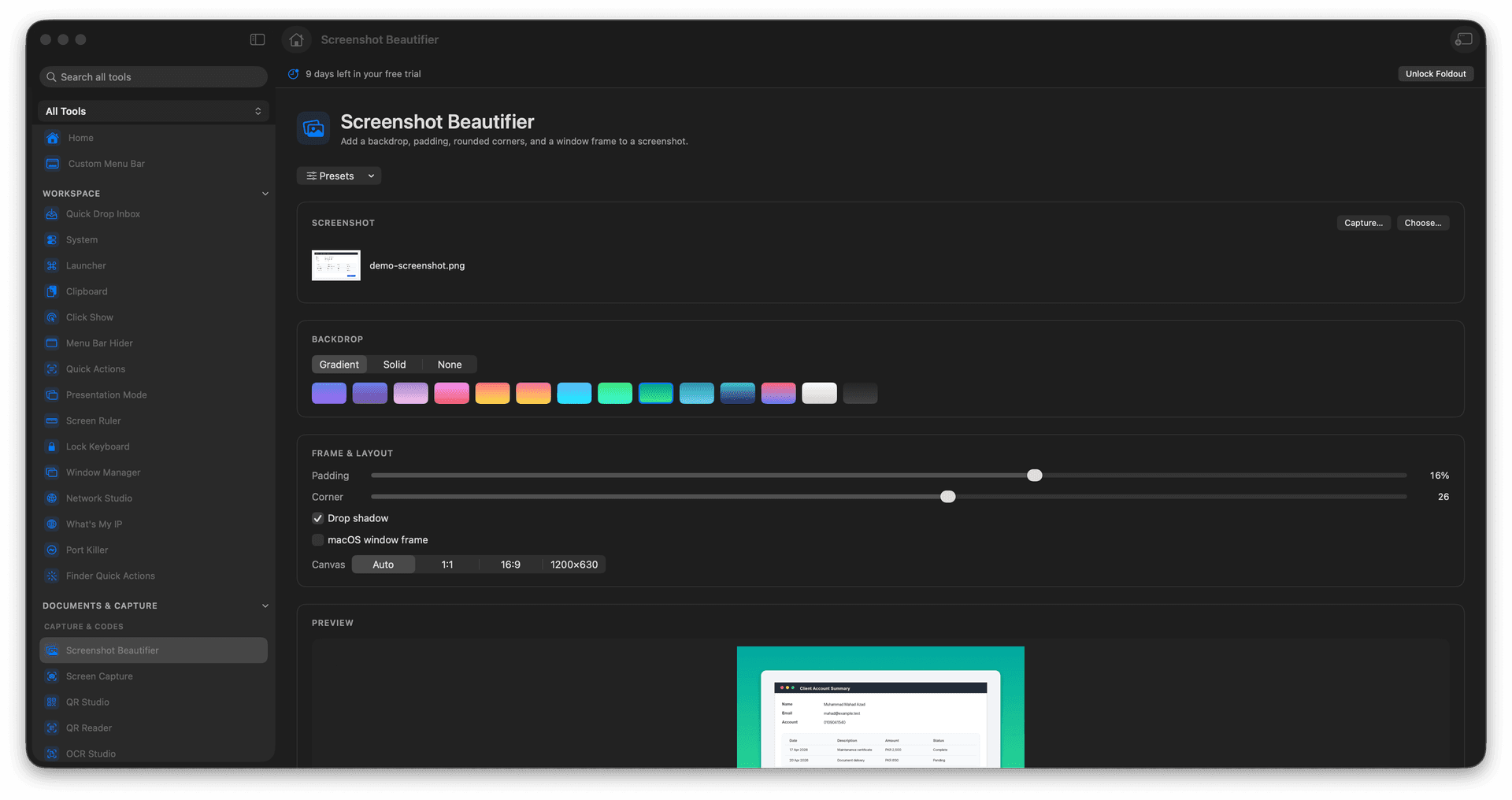
Drop screenshots onto a polished backdrop with padding.
Add rounded corners and a soft, realistic shadow.
Optionally wrap it in Mac-style window framing.
Export at presets sized for sharing.
Concrete features, inputs, and workflow details for this tool.
Wrap a raw capture in a backdrop, padding, corners, and a shadow, so a flat screenshot suddenly looks like it belongs on a marketing page.
Add Mac-style window chrome to make a screenshot read clearly as an app, traffic-light buttons and all.
Export at presets shaped for social posts and slides, so the beautified image fits the frame the moment you paste it.
Add or capture a screenshot.
Choose backdrop and frame options.
Set the output size.
Save the polished image.
Yes. The tool includes a capture action as well as file input.