Focus the room
A cursor spotlight dims the rest of the screen so every eye lands on exactly what you are pointing at.
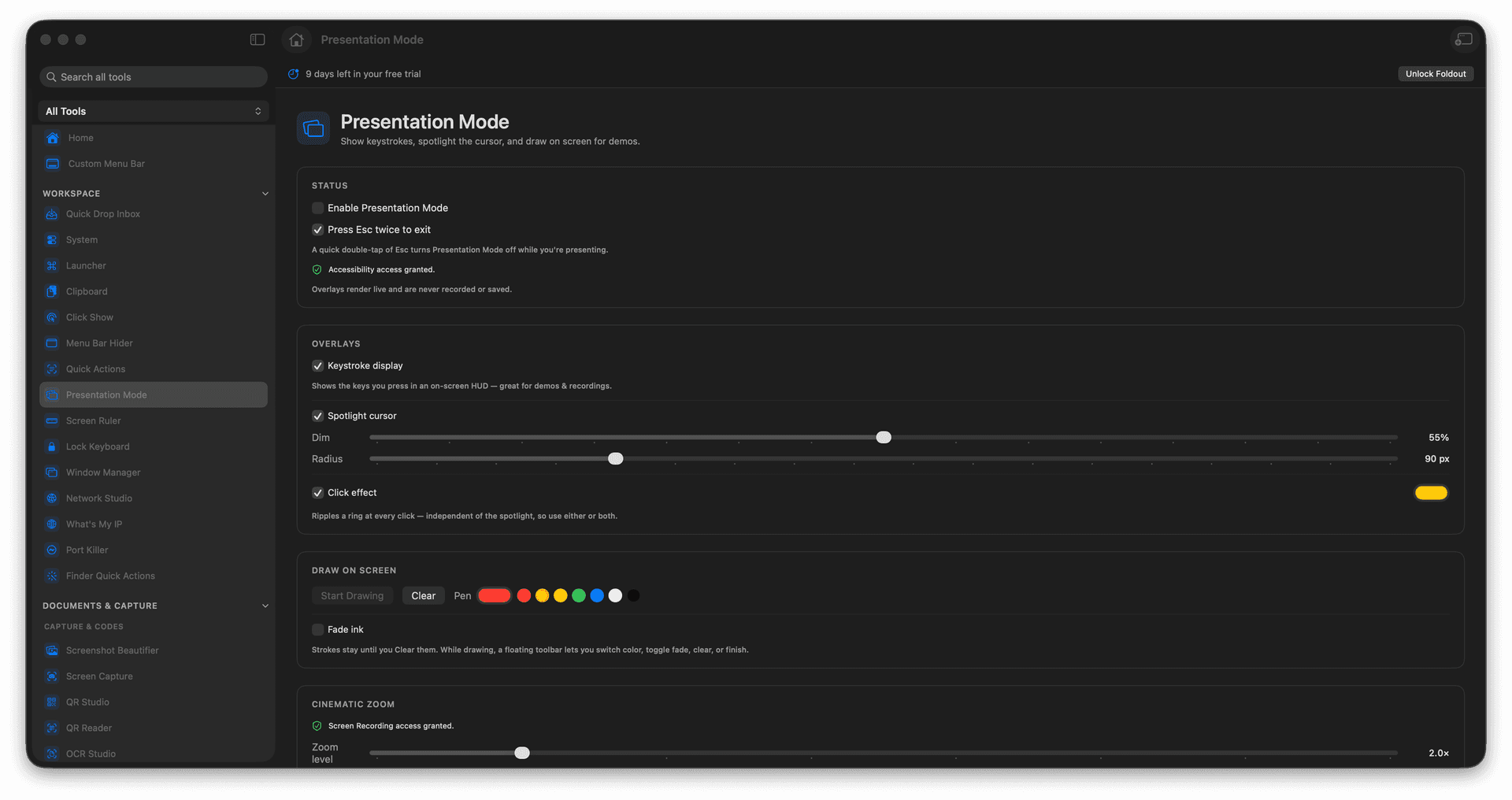
Presentation Mode hands you a teacher's toolkit for any screen share - spotlight the cursor to kill distraction, show your keystrokes so people can follow along, and draw right on the screen to circle the thing that matters.
Start the 14-day trial in the app. No payment method is required to try Foldout.
Spotlight the cursor to focus attention.
Show keystrokes on screen as you type.
Draw on screen to annotate live.
Make demos and lessons easy to follow.
Concrete features, inputs, and workflow details for this tool.
A cursor spotlight dims the rest of the screen so every eye lands on exactly what you are pointing at.
Show your keystrokes on screen so a shortcut-heavy demo is something viewers can actually learn from.
Sketch directly over any app to circle a button, underline a value, or trace a flow as you talk.
Open Presentation Mode.
Enable the visual aids you need.
Use them during the demo.
Stop the mode when finished.
No. It displays visual presentation overlays.