From picture to palette
Point it at a photo, a UI screenshot, or a piece of artwork and it surfaces the colors that actually define the image, not a random sample.
Color Palette pulls the dominant colors out of any image and hands them back as ready-to-paste hex, CSS, Swift, or Adobe swatches. Sample a screenshot, a photo, or a piece of art and turn it into a usable palette in seconds.
Start the 14-day trial in the app. No payment method is required to try Foldout.
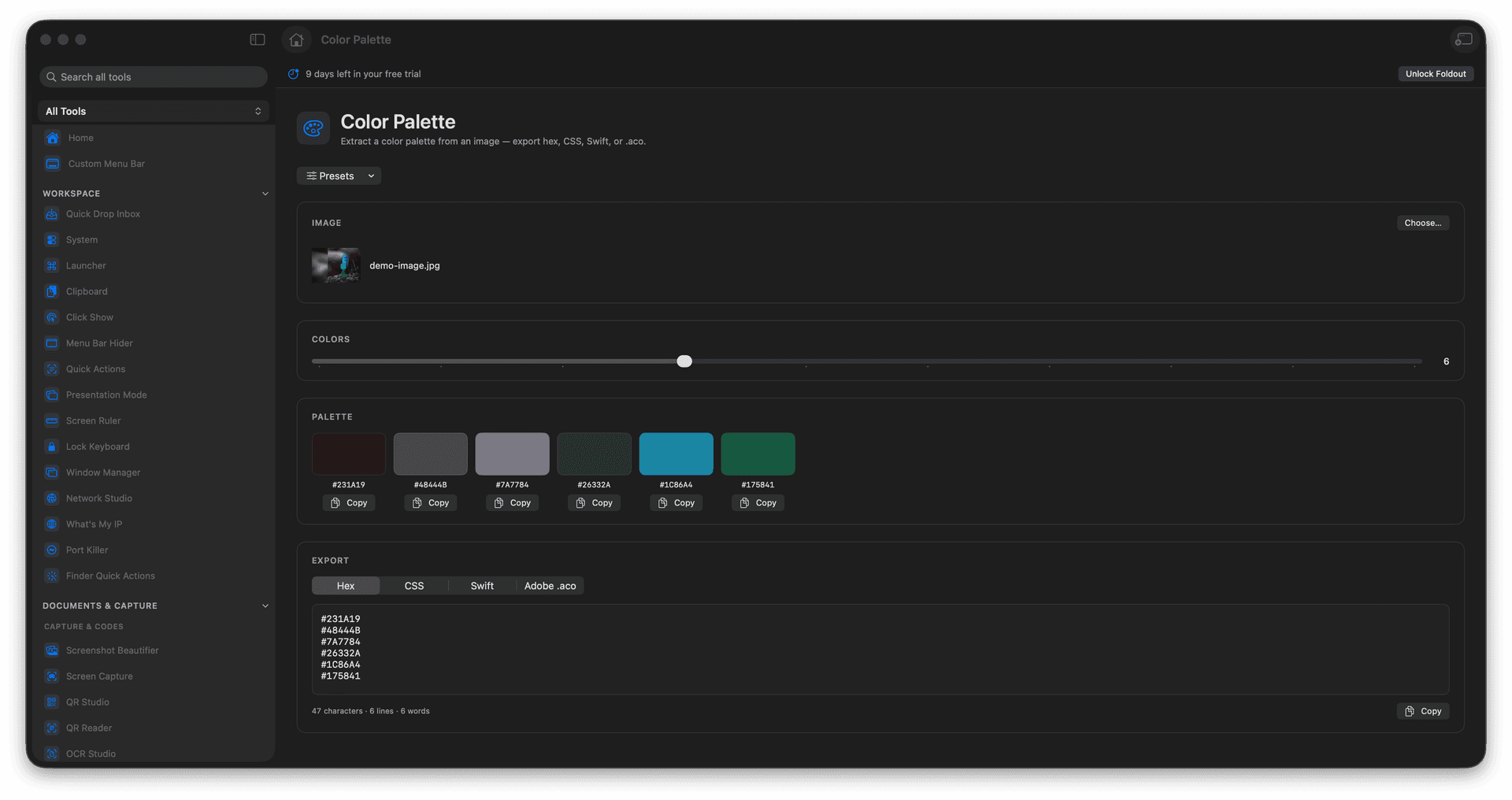
Extract 3 to 12 dominant colors from any image.
Copy or export as hex, CSS variables, Swift, or an Adobe swatch file.
Turn a photo or screenshot into a usable brand palette.
Everything is sampled from your local image.
Concrete features, inputs, and workflow details for this tool.
Point it at a photo, a UI screenshot, or a piece of artwork and it surfaces the colors that actually define the image, not a random sample.
Export the palette as hex codes, CSS custom properties, Swift color values, or an Adobe swatch file, so it drops straight into design or code.
Ask for as few as three colors for a tight brand set or up to twelve for a richer board, and preview them before you copy.
Add an image.
Choose the number of colors.
Review the extracted palette.
Copy or export the palette.
Yes. It can export palette values for CSS and other formats.