Frames, in your order
Add images in the exact sequence you want them to play, so a step-by-step or a before-and-after reads in the right direction.
GIF Maker stitches a stack of images into a smooth looping GIF - a before-and-after, a quick UI demo, a tiny animation - with full control over frame timing and how the loop repeats. Drop the frames in order, set the pace, and export something ready to paste into chat or a doc.
Start the 14-day trial in the app. No payment method is required to try Foldout.
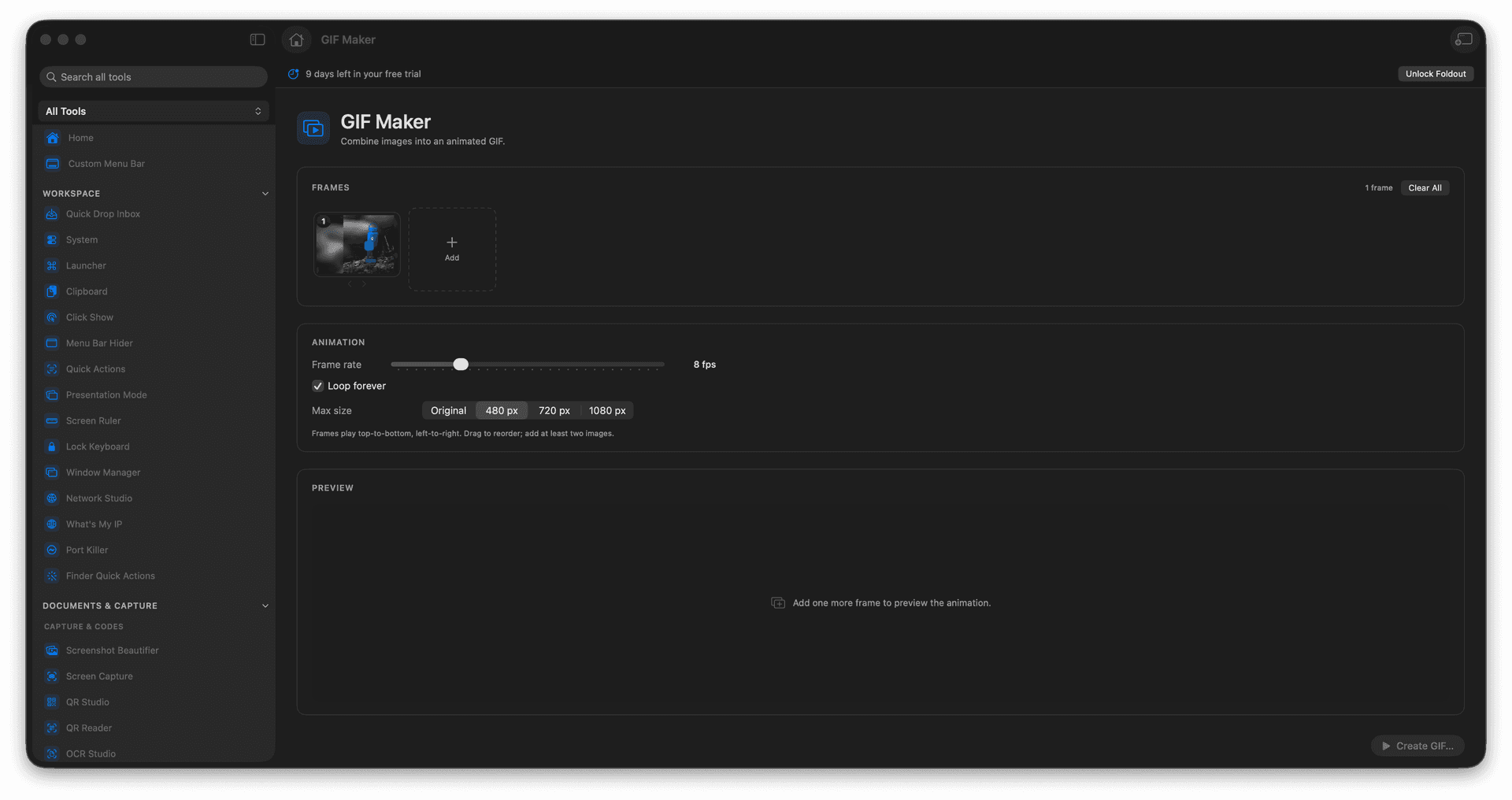
Build a looping GIF from a sequence of images.
Control the delay on each frame and how the loop behaves.
Perfect for before-after shots, UI demos, and reaction clips.
Export a fresh GIF without touching the source frames.
Concrete features, inputs, and workflow details for this tool.
Add images in the exact sequence you want them to play, so a step-by-step or a before-and-after reads in the right direction.
Set the frame delay to make the animation snappy or slow and deliberate, and choose whether it loops forever or plays once.
The finished GIF drops straight into chat, issues, docs, and social posts - no player or plugin required.
Add images in frame order.
Set frame delay and loop behavior.
Preview the animation settings.
Export the GIF.
GIF Maker is intended for multiple frames; one frame creates a static-looking GIF.