Text out of pixels
Pull readable text from a photo, a screenshot, or a scanned page, so a quote on a slide or a number on a receipt becomes something you can paste.
OCR Studio reads the text trapped inside an image, a screenshot, or a scanned PDF and hands it back as selectable, copyable text - lift a quote off a slide, pull numbers out of a receipt, or make an old scan searchable, all on your Mac.
Start the 14-day trial in the app. No payment method is required to try Foldout.
Foldout reads user-supplied images and scanned PDFs locally. It does not generate synthetic people, voices, likenesses, or media from prompts. Use Foldout only with files and content you own or have permission to process.
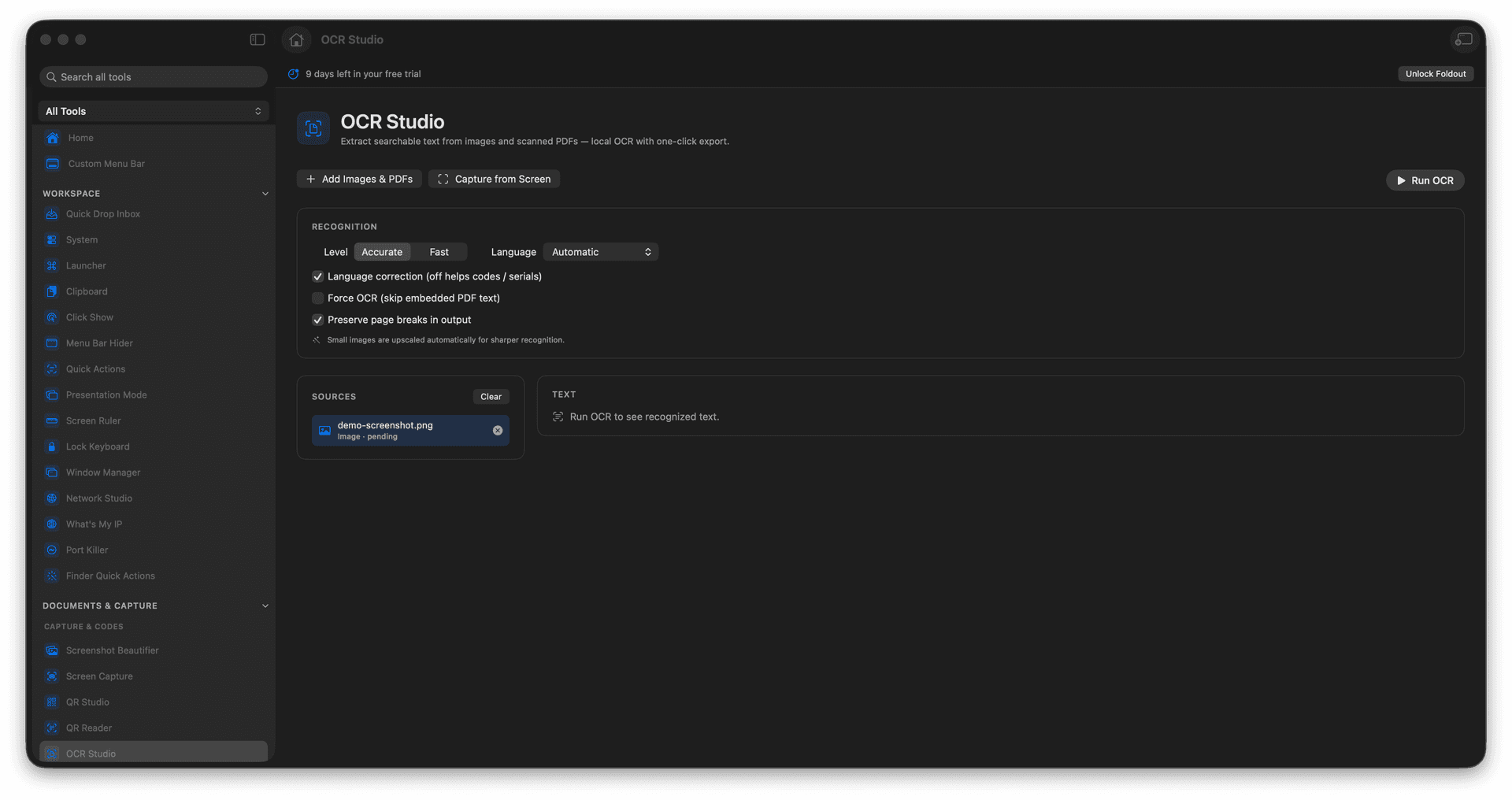
Recognize text in images, screenshots, and scanned PDFs.
Capture a screen region and read it on the spot.
Copy or export the recognized text.
Turn a flat scan into words you can actually use.
Concrete features, inputs, and workflow details for this tool.
Pull readable text from a photo, a screenshot, or a scanned page, so a quote on a slide or a number on a receipt becomes something you can paste.
Capture any region of your display and read its text immediately - perfect for content you cannot select.
Run a scanned PDF through recognition and walk away with text you can copy, search, and reuse.
Add an image or scanned PDF.
Run OCR or capture a screen region.
Review recognized text.
Copy or export the result.
No. OCR runs locally in Foldout.