A history you can trust
Recent operations are tracked with their outputs, so you always have a clear record of what changed.
Safety Center is the undo button for the work that matters - it tracks recent operations, shows what each one produced, and lets you reverse the ones that can be safely undone, so a bulk action you regret is a click away from being put back.
Start the 14-day trial in the app. No payment method is required to try Foldout.
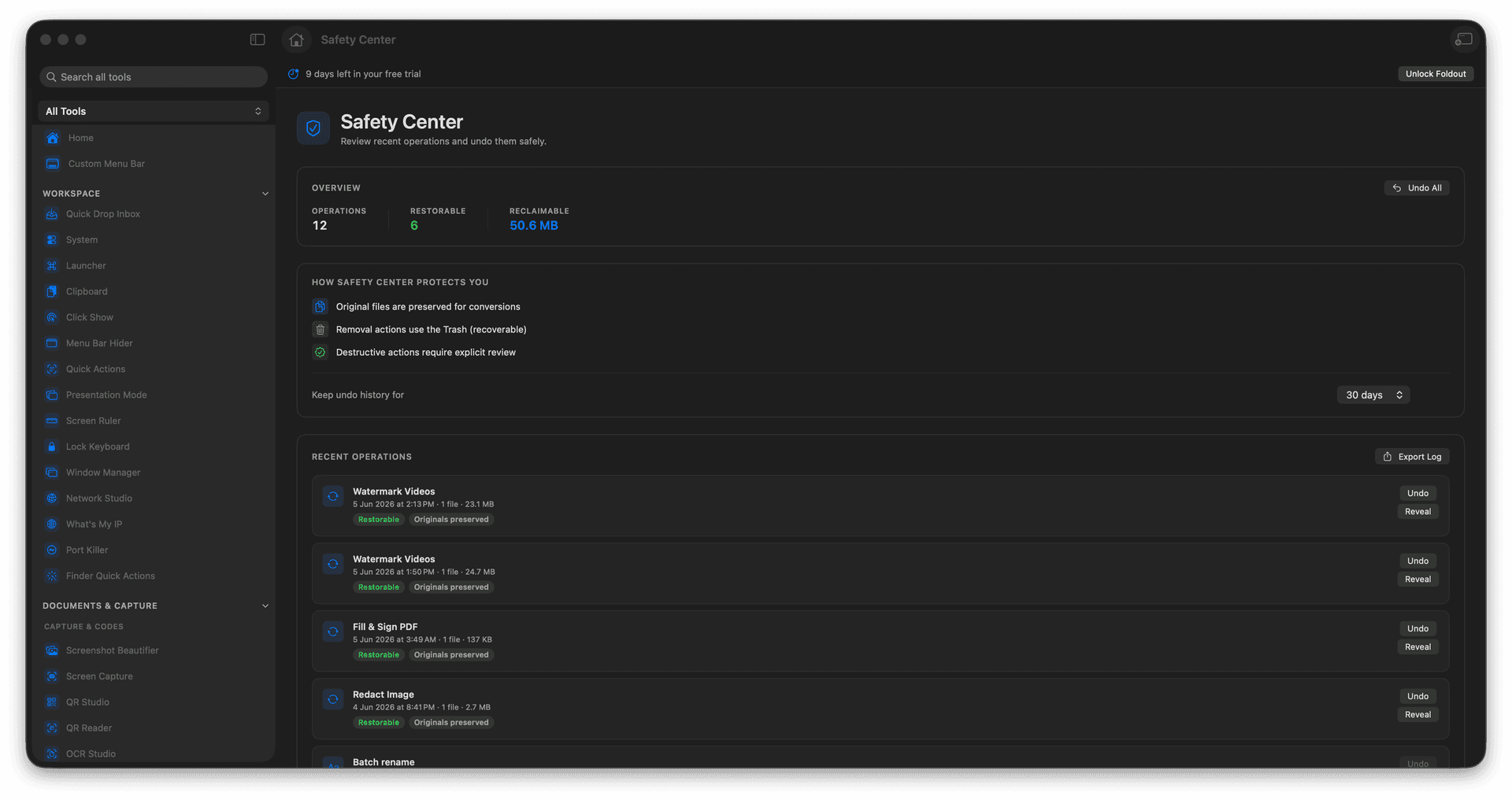
Review recent operations in one place.
See the outputs and files each one touched.
Undo actions that can be safely reversed.
Act boldly, knowing there is a way back.
Concrete features, inputs, and workflow details for this tool.
Recent operations are tracked with their outputs, so you always have a clear record of what changed.
Reverse the actions that can be cleanly undone, so a regretted bulk move is recoverable.
Knowing there is a safety net makes it easier to run the big jobs without second-guessing every click.
Open Safety Center.
Select a recent operation.
Review outputs and reversal status.
Undo if the operation is reversible.
No. Safety Center shows which operations are reversible.