Every platform, memorized for you
Ready-made presets match the current post, story, thumbnail, and short-video sizes, so you never paste an image that ends up cropped or letterboxed.
Social Media Resizer reframes your images and videos to the exact dimensions each platform wants - an Instagram square, a TikTok vertical, a YouTube thumbnail - without you memorizing a single spec. Pick the platform, export, post.
Start the 14-day trial in the app. No payment method is required to try Foldout.
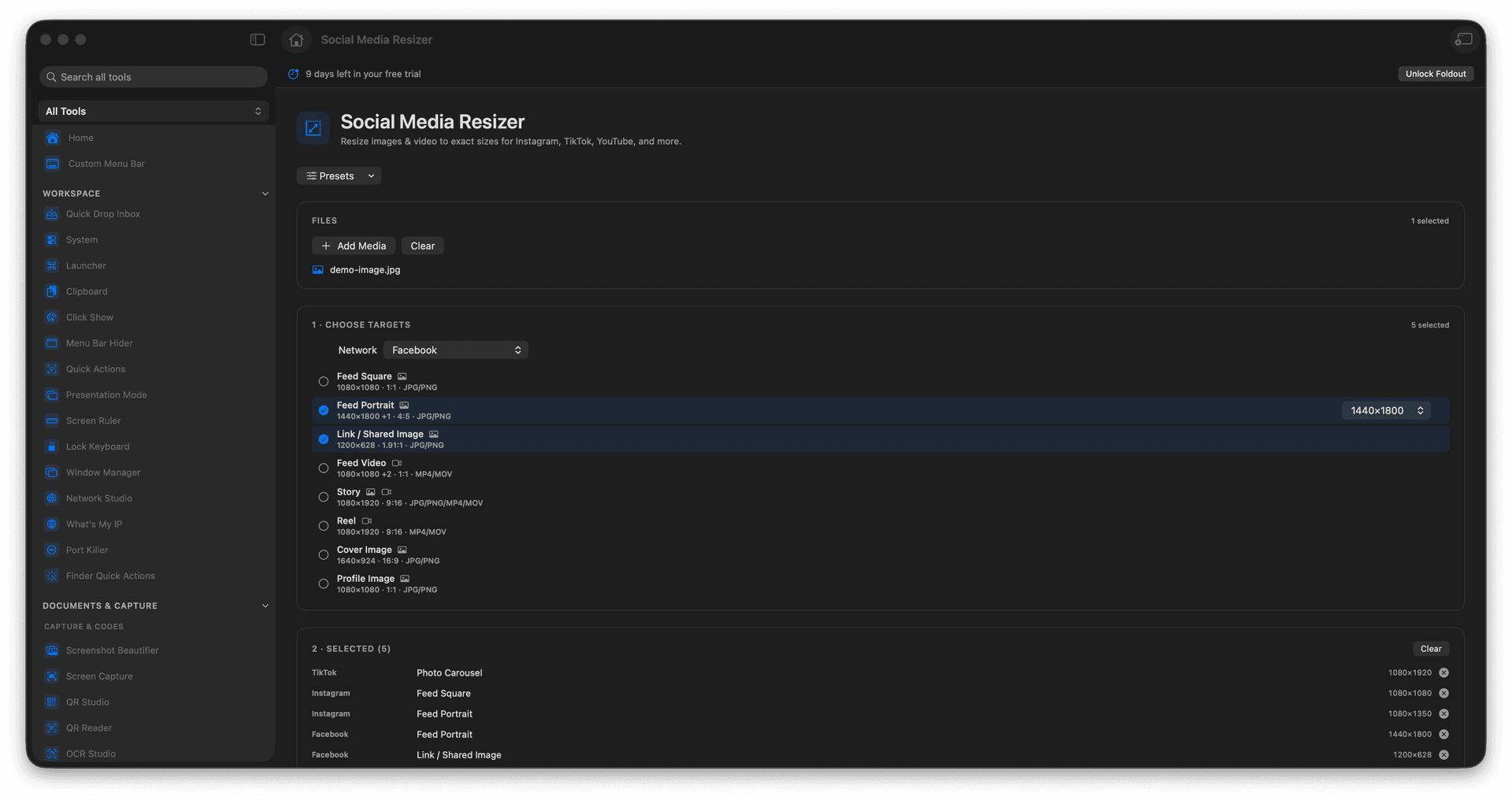
Resize images and videos to platform-perfect presets.
Cover Instagram, TikTok, YouTube, and more in one place.
Stop hunting for the right pixel dimensions every time.
New outputs are created with originals left intact.
Concrete features, inputs, and workflow details for this tool.
Ready-made presets match the current post, story, thumbnail, and short-video sizes, so you never paste an image that ends up cropped or letterboxed.
Prepare a still or a clip from the same tool, so a campaign that spans a feed post and a short video gets sized in one sitting.
Each resized asset is written as a new file, leaving your master image or video untouched for the next platform.
Add media.
Choose the platform and format preset.
Review crop or resize settings.
Export the resized output.
Yes. Social Media Resizer accepts image and video inputs where supported.