Two clear modes
Pick a range, then choose Remove Selection to cut it out and export the rest, or Export Selection to save only that span.
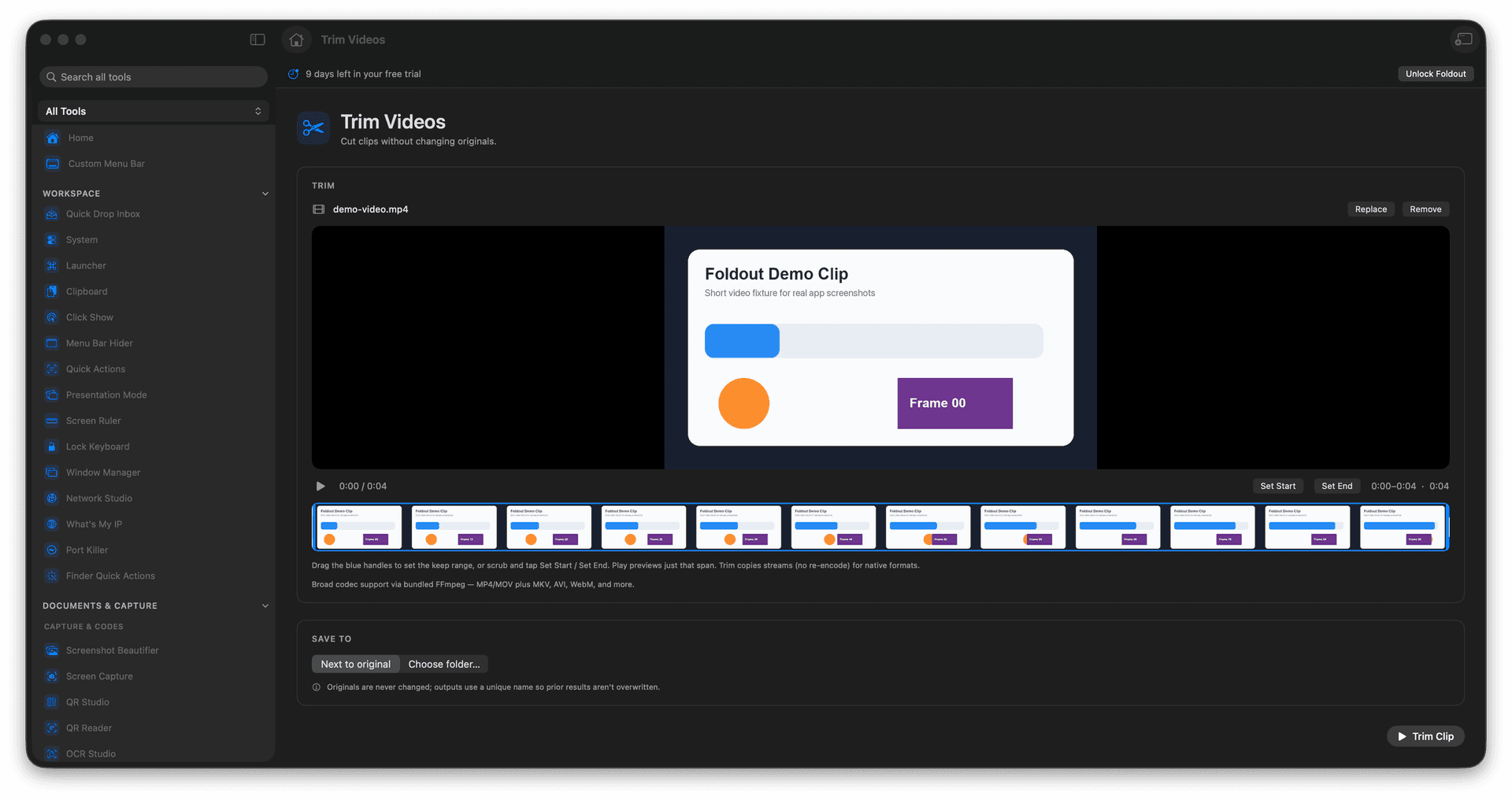
Video Cutter gives you a visual timeline with two clear actions: Remove Selection deletes the range you picked and saves the rest, while Export Selection saves only that span as a new clip. Either way the original file is never modified and stays loaded, so you can keep cutting.
Start the 14-day trial in the app. No payment method is required to try Foldout.
Remove Selection: delete the selected range and keep the rest.
Export Selection: save just the selected span as a clip.
Drag handles on a visual timeline to set the range.
The original is never modified and stays loaded for the next cut.
Concrete features, inputs, and workflow details for this tool.
Pick a range, then choose Remove Selection to cut it out and export the rest, or Export Selection to save only that span.
Scrub the filmstrip and drag the handles to set the range, and preview just that span before you export.
Every run writes a new file and the source stays loaded, so you can adjust the handles or switch modes and cut again.
Add a video, or drop a new one to replace it.
Drag the handles to select a range.
Choose Remove Selection or Export Selection.
Export - the original stays untouched.
Remove Selection deletes the range you selected and saves the rest of the video. Export Selection saves only the selected range as a new clip.
No. Video Cutter always writes a new file and leaves the original untouched.