Many steps, one recipe
Combine compatible tools into a sequence - resize, watermark, zip - so a multi-step routine runs as a single action.
Workflows lets you wire several Foldout steps into one reusable recipe - resize, then watermark, then zip - so a multi-tool routine you run every week becomes a single click you set up once and trust forever.
Start the 14-day trial in the app. No payment method is required to try Foldout.
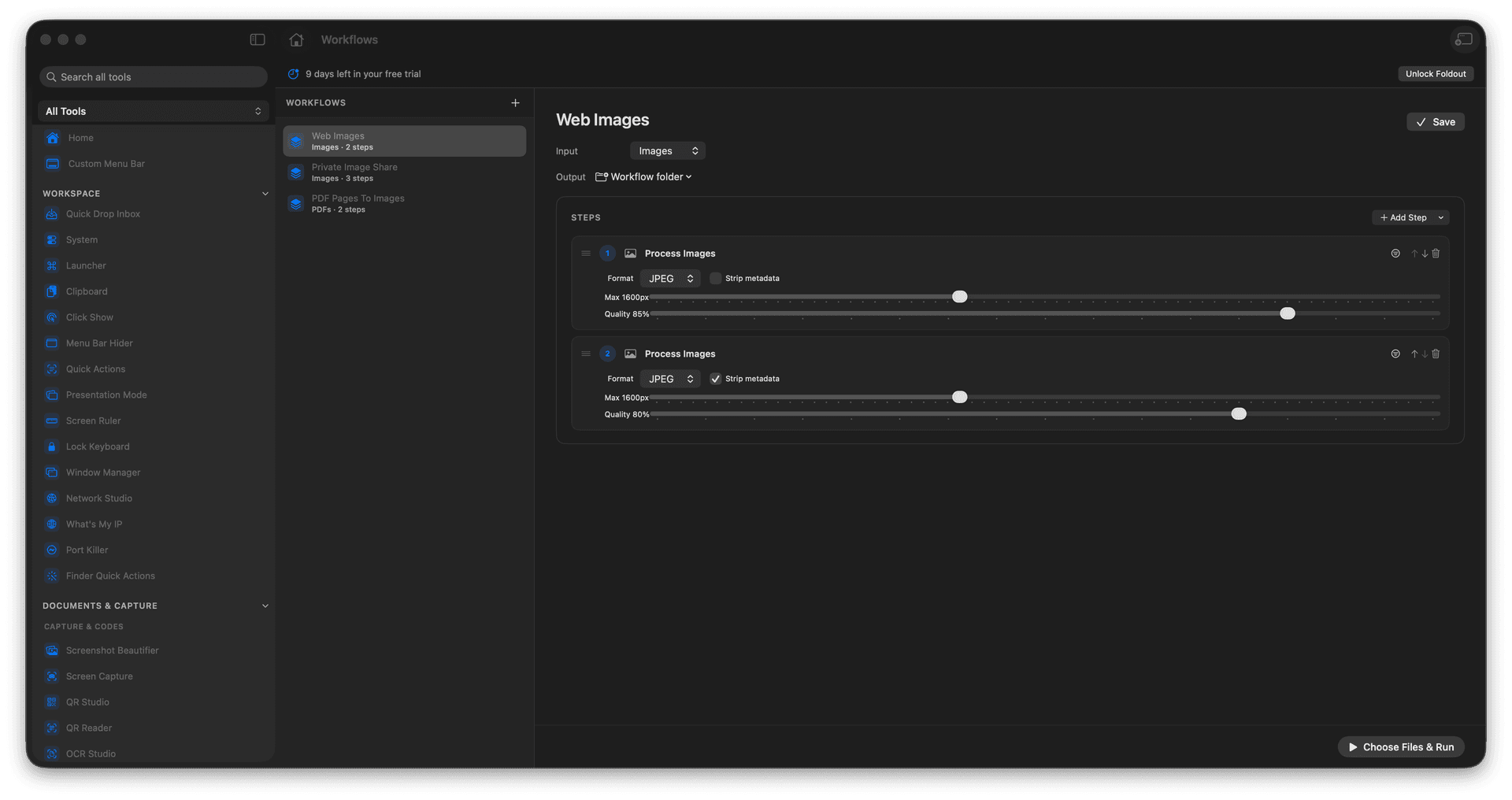
Chain compatible steps into one recipe.
Run a whole sequence with one click.
Reuse a routine instead of rebuilding it.
Process batches the same way every time.
Concrete features, inputs, and workflow details for this tool.
Combine compatible tools into a sequence - resize, watermark, zip - so a multi-step routine runs as a single action.
Save the recipe and reuse it whenever the job comes around, instead of re-doing the steps by hand.
A saved workflow processes each batch identically, so the output is always shaped the same way.
Open Workflows.
Create or choose a recipe.
Add compatible steps.
Run the workflow on input files.
Only compatible batch-friendly tools are available as workflow steps.